Unknown's avatar

Photo Art Friday – Line, Angles and Graphic Elements

Bonnie’s challenge was to play with lines etc this week, I do take photographs of the outline of buildings against the skyline and sometimes they sit in my files until the opportunity comes along to play with them. Bonnie also released some new textures this week and I am excited about them..gorgeous.

Ballarat Skyline

Textures used after playing with the Hue and Saturation…pdpa Blue Skies (Screen 74% opacity), and pdpa La Vie en Rose (Pin Light 100% opacity).

Thank you for visiting and please remember to visit Photo Art Friday to view other entries.

Cheers

Unknown's avatar

Tutorial Tuesday – Direct Sunlight

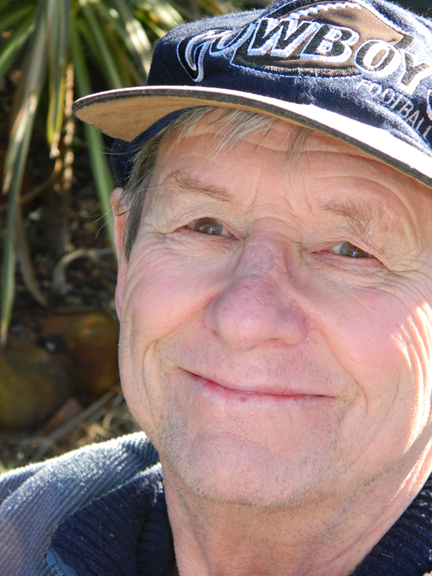
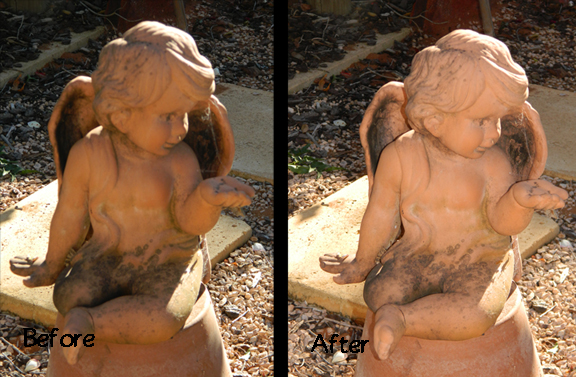
This week’s tutorial is to shoot into direct sunlight with the subject’s back to the sun, normally this would cast shadows, but the way to rectify this is to use a flash if you have a aim and shoot digital camera. Of course there are light meters and reflectors, but I do not have this equipment. I like the challenge to do the tutorials with my camera. I have not used Lightroom to change the exposure etc on the following images.

The first is of my sweetheart.

This second one is a before and after shot of my garden angel.

Thank you for visiting and remember to go to Tutorial Tuesday to view other entries.

Cheers

Unknown's avatar

Photo Art Friday – Horizon

Bonnie’s challenge this week is ‘Horizon”. While driving back from Stanthorpe in February this year, I was taking shots through the car window, of one of many long stretches without any spectacular scenery, but on this occasion the sky was the feature point.

I used pdfa Northern Lights Overlay texture  at Blending Mode-Soft light 100% opacity.

Horizon

In this next edit I used pdfa Painterly at Hard light 100% opacity twice and brushed away part of the road. Two very different effects and hard to say which I like.

Thank you for visiting and remember to visit Photo Art Friday to view other entries.

Cheers

Unknown's avatar

Photo Art Friday – Book Cover

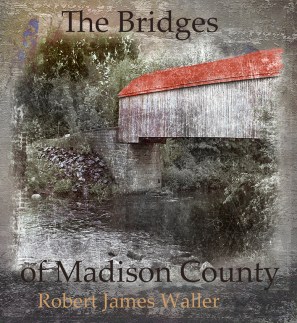
Bonnie’s challenge was to take a favourite book and apply this to one of her textures such as pdpa Blank page. I had to think hard and long, then I remember a photo I took back in 2003 while on a holiday in Maine with my friend who took me to see a covered bridge.  In the past I enjoyed reading Waller’s “Bridges of Madison County”, so I decided to see if I could bring the two together.

I altered the original photograph with KK’s Wonderful Magic texture, then I played with pdpa Inkblotter as the first layer at Darken blending mode 100% opacity, I added pdpa Blank Page over this at Normal blending 100% opacity, added my covered bridge and then placed pdpa Birth of Light over this at blending mode of Saturation 100% opacity. Added the text. Then using the colour replacement brush added a reddish colour to the roof. My final touch was to use Topaz Labs Adjust 5 filter to brighten up the features.
Thank you for visiting and please remember to visit Photo Art Friday to view other entries.

Cheers

Unknown's avatar

Tutorial Tuesday – High Key

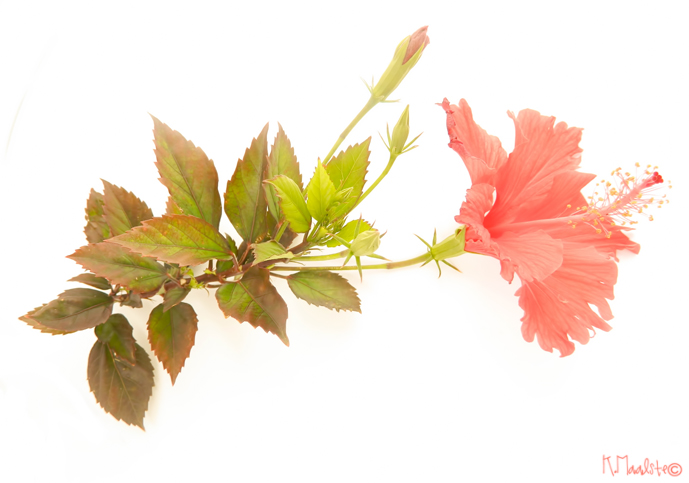
I was not sure if I could get this tutuorial done with my “photographic” equipment, but it worked. I took my lightbox outside and had my “light” man hold the car’s sunlight reflector just right and this is what happened.

This is not as white, but this I guess could be edited.

Thank you for visiting and remember to go to Tutorial Tuesday to view other entries

Cheers